

Making and Taking Calls
Set your availability, dial out from anywhere in the app, and answer incoming calls and warm transfers.
Your softphone lives in the top bar, so you can make and take calls from any page in careCycle.
Your Availability
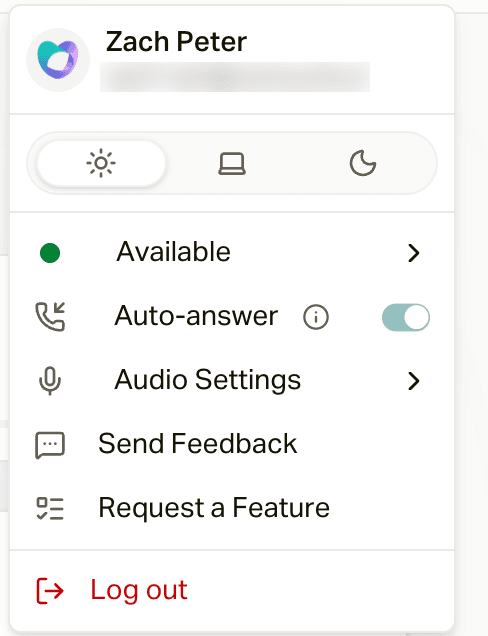
Your presence controls whether campaigns and transfers can ring you. Set it from your avatar menu (top right) under Connection status:
- Available (green): you can receive calls.
- Busy (amber): temporarily off the phones. Your organization may provide named reasons such as Break, Lunch, Meeting, or Coaching. A timed reason returns you to Available automatically; a reason without a timer remains active until you or a supervisor changes it. Organizations that have not configured reasons use the standard duration choices.
- On Call and Wrap Up are set for you automatically during and after calls.
The same menu has an Auto Answer toggle that picks up incoming calls for you; your avatar shows a small phone badge while it is on. Your organization may enforce Auto Answer, in which case you cannot disable it. See Agent Availability and Auto-Answer for timer safety and recommended configurations.
The call sources pill next to your avatar shows where your calls come from: "On air - N" when campaigns can ring you, with a popover listing each campaign as Live, Paused, or Off air. While you are on a call, wrapping up, or busy, sources pause automatically and resume the moment you are available.
The colored dot on the platform status badge (far left of that cluster) is careCycle's system status. Your presence is the dot on your avatar.
Dialing Out
Click the keypad icon (Dial a number) in the top bar. Type or click a 10-digit number and press the green call button, or press Enter. The dial pad also has an address book for carrier and Medicaid lines, so calling a carrier on a member's behalf never means hunting for the number.
You can also call directly from a conversation with the phone button in the Inbox thread header. One call at a time: if you are already on a call, the dialer reminds you to finish it first.
Which number do my calls come from?
Every call you make by hand shows your agency's main number. There's no personal number per agent, and that's on purpose: members recognize one number, and when they call it back, careCycle routes them to the right place. See Which Number Your Calls Come From.
Answering Incoming Calls
When a call comes in, a card appears with the caller's name and number, and the campaign or routing group associated with the call:
- Regular inbound: Answer or Decline.
- Warm transfer (Cora or a campaign is handing you a caller): Claim or Pass. After claiming, you may see a Warm Transfer Summary of the conversation so far; press Start Call when you are ready, or Pass it back.
- Transfer from a teammate: the card names the agent and shows their transfer note, plus whether it is a private consult or a bridge.
Only eligible Available agents enter the routing sequence, and careCycle rings them one at a time. The destination can allow 5 to 30 seconds for each agent and 10 to 120 seconds for the overall sequence. The overall timer can end the sequence before every eligible agent is tried. With Auto Answer, the timers are normally invisible because an available agent accepts immediately. They remain active as failure protection if the browser is disconnected or Auto Answer cannot complete. Otherwise, the countdown bar shows the time to accept, claim, or connect. If it runs out, the call passes to the next eligible agent or proceeds to fallback.
Campaign administrators can review the complete routing behavior in Agent Queue Operations and Routing.
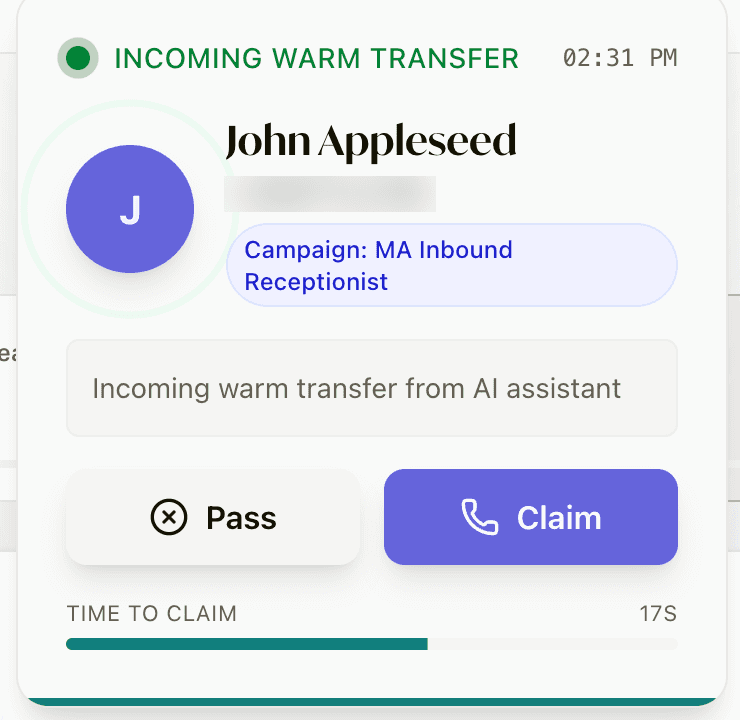
Claim it before the Time to claim bar runs out, or it passes to the next agent (or to the destination's fallback). If the destination is set to Wait for operator, claiming shows you the Warm Transfer Summary (what the caller needs, written by the AI) with a Start Call button and a Connect within timer. Read it, then press Start Call to talk to the caller.
With Auto Answer on
Auto Answer accepts warm transfers for you. You skip the card and the summary screen and land straight in the call workspace, already connected. The handoff summary is still at the top of your transcript.
Answering drops you into the call workspace.