

Wrap-Up and Dispositions
Close out every call with the right outcome, and see why that one choice matters downstream.
When a call ends, you enter wrap-up: a card appears with the caller's name, how long ago the call ended, the call details, the transcript (tap to expand), and one question: "What happened on this call?"
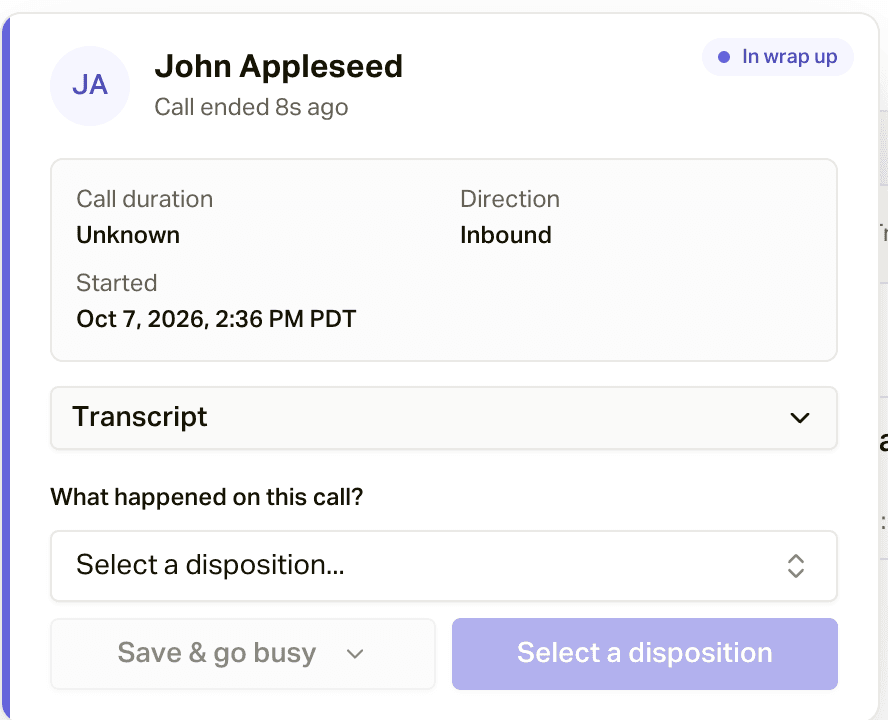
Picking the Disposition
Choose the outcome from the disposition picker. Hover any option to see what it means.
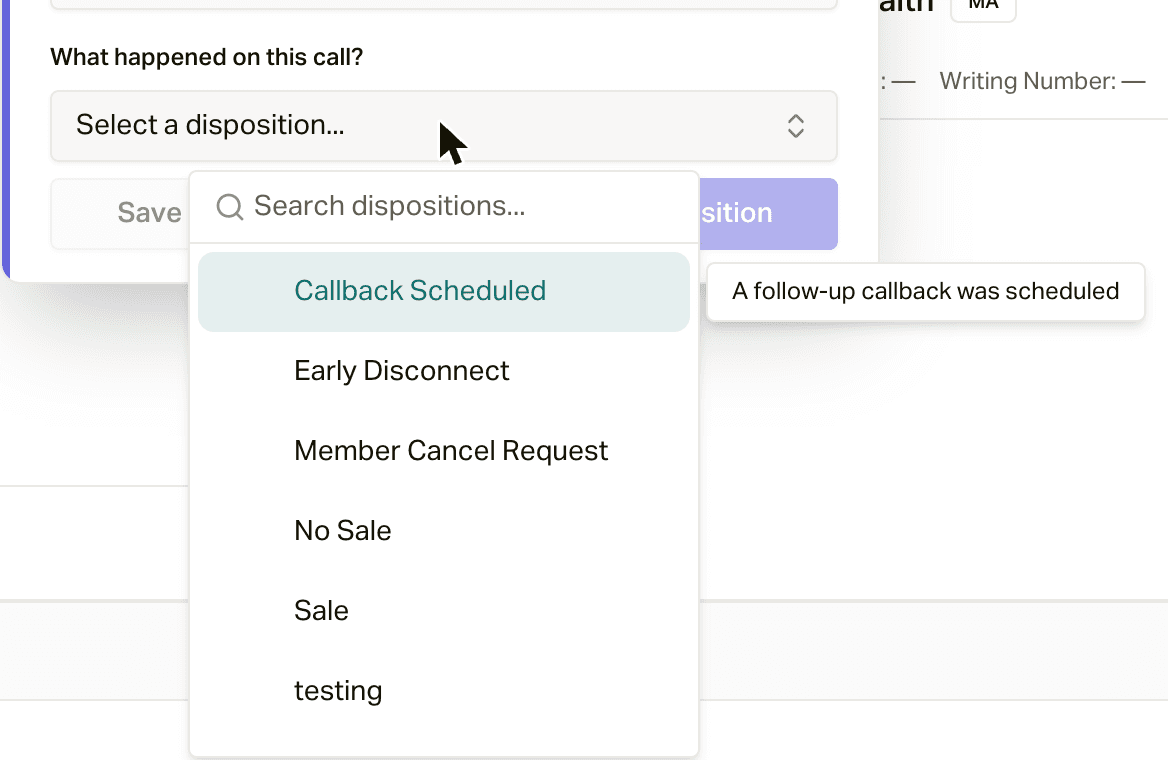
The list you see is the set configured for the routing group associated with the call; manual outbound calls use your organization's default disposition set. Typical options: Sale, No Sale, Callback Scheduled, Customer Hung Up. See Routing Groups for the destination-owned configuration and Agent Queue Operations for how that destination is used by Agent Queue calls.
If your outbound call matched a scheduled appointment, a second prompt asks "Was this call for an appointment?" with the nearby appointments listed (the closest one preselected) and a Not for an appointment option, so the appointment gets marked handled.
Then save it one of two ways:
- Save & go available puts you right back on the phones.
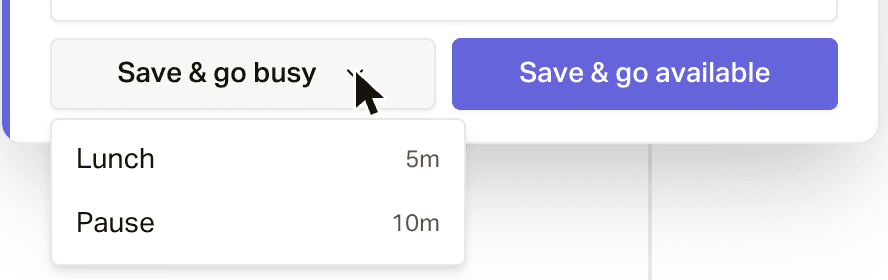
- Save & go busy (the arrow next to it) lets you pick a Busy reason, like Lunch or a short pause, so you're not rung while you take a breather.
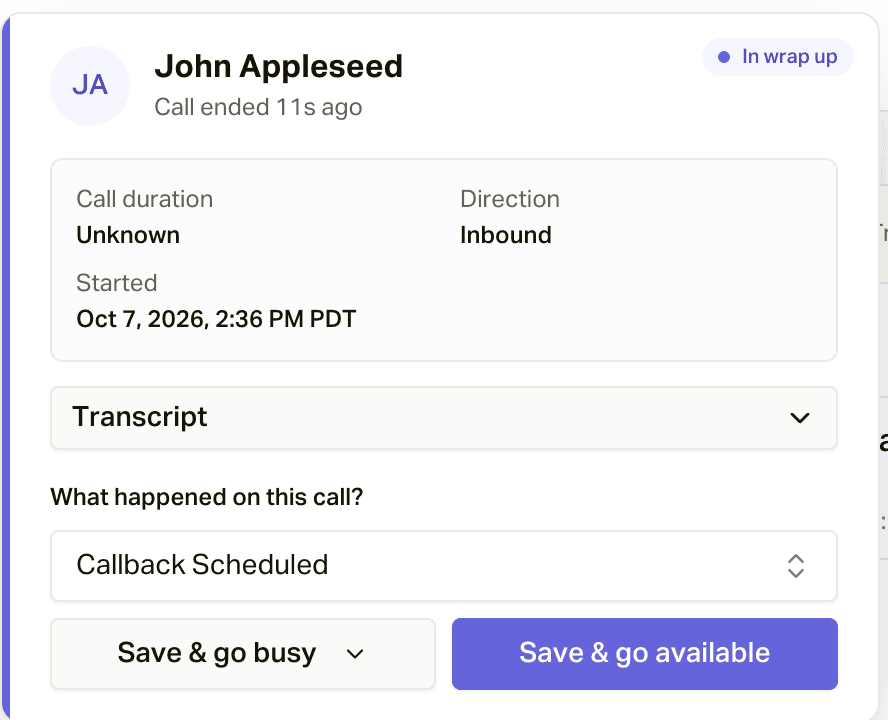
A disposition is required: you cannot leave wrap-up without one, and if you reload the page mid-wrap-up, careCycle puts you right back into it.
Why This One Choice Matters
Your disposition steers what happens next:
- Pulse routing: outbound campaigns route the customer's next step on your outcome. Callback Scheduled and No Sale can lead to completely different follow-up cadences.
- Sales and source reporting: Sale dispositions are how conversions get counted, which drives close rates, source performance, and CPA. A missed Sale disposition is a sale your reporting never sees.
- Compliance: the Do Not Call disposition suppresses the customer from all future outreach. (careCycle also detects verbal do-not-call requests from the conversation automatically, so this is enforced even if it is missed.)
When in doubt between two outcomes, pick the one that describes what should happen next for the member.