

Your Dashboard and Tasks
Start each day from your action items, your queue, and your monthly numbers.
Your dashboard is the first page you see, built around one question: what needs your attention right now?
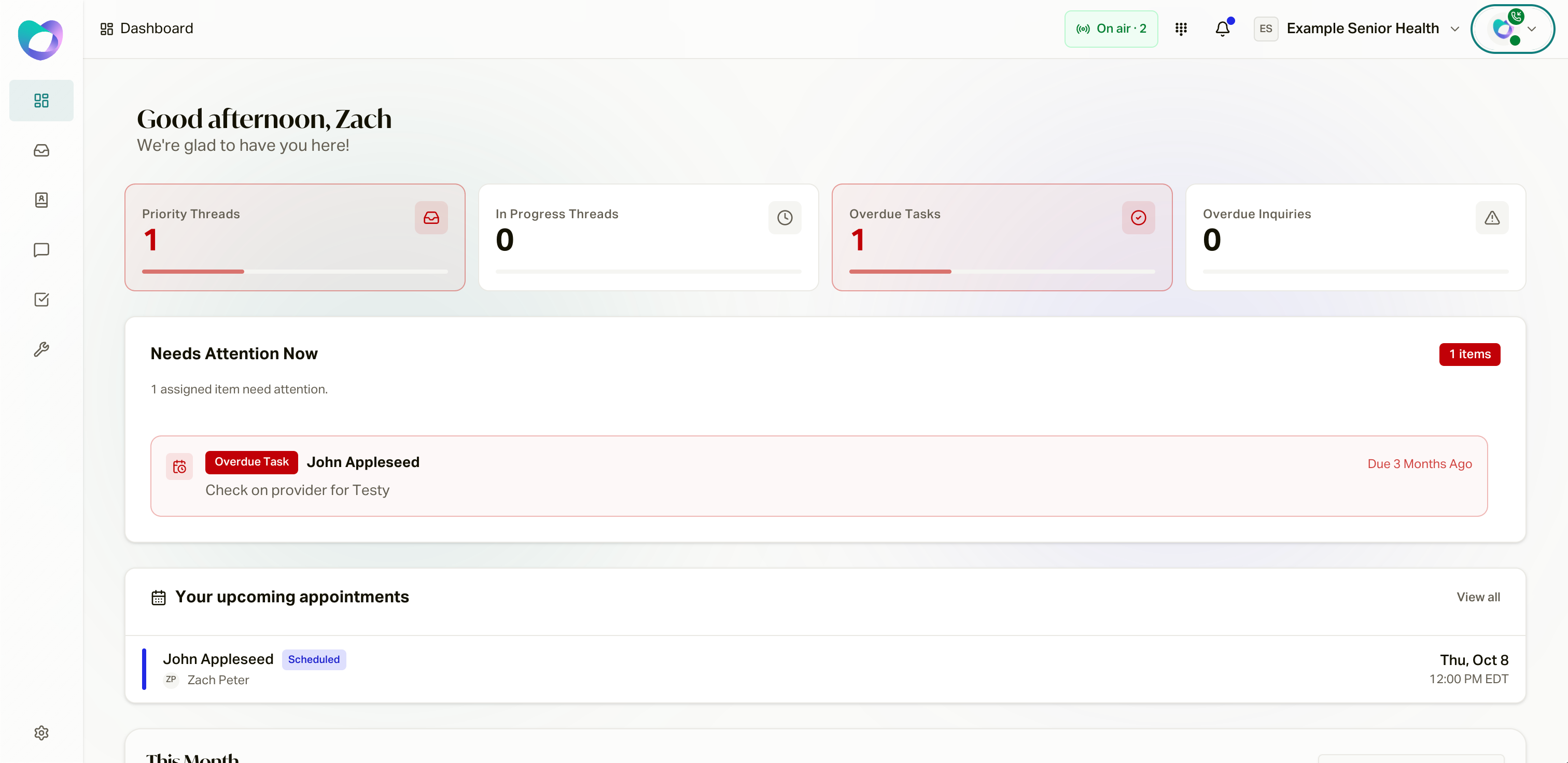
Action Items
Four tiles across the top link straight into your Inbox: Priority, In Progress, Overdue Tasks, and Overdue Inquiries. A tile turns red when its count needs attention, so a clean dashboard means a clean queue.
Needs Attention Now
Below the tiles, the Needs Attention Now queue lists your most urgent items first, each badged by type: Overdue Inquiry, Overdue Task, Due Today, New Inquiry, To Do. Every row jumps directly to that customer's conversation at the relevant message. An empty queue says so.
Your upcoming appointments sit alongside, so booked calls never surprise you.
Monthly Performance
The bottom of the dashboard tracks your month, with a picker for prior months: Sales Dispositions, Softphone Time, Inquiries Resolved, and Tasks Completed.
Tasks
The Tasks page in the sidebar holds your full task list, as a table or a kanban board. Tasks move through To Do, In Progress, Done, and Cancelled, and you can change status inline. You see the tasks assigned to you.
Two kinds of items live here:
- Tasks: follow-ups, created by you, a teammate, the inbox composer, or an automation.
- Requirements: paperwork items tied to a policy, tracked as Captured or Not Captured until closed out.