

Connect HealthSherpa
Quote Medicare customers in HealthSherpa and pull submitted enrollments back into careCycle automatically.
The HealthSherpa integration has two halves that are set up separately and work independently:
- HealthSherpa Account sends data out. Each agent connects their own account so they can open a pre-filled quote for the customer they're on a call with.
- HealthSherpa Webhook brings data in. One connection per agency pushes submitted enrollments into careCycle as customers and policies.
You can set up either one on its own. Receiving enrollments does not require any agent to connect their account.
Connect Your Individual Account for Quoting direct from careCycle
Each agent connects from Settings > Integrations > HealthSherpa Account, then signs in to HealthSherpa and approves access.
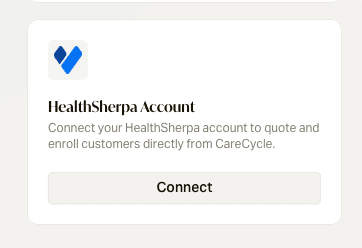
HealthSherpa ties access to the individual agent, so every agent connects their own account. An admin cannot connect on someone else's behalf, and one agent connecting does not enable quoting for the rest of the team.
Add the Quote Button to a Call Form
Quoting happens during the call, so the button lives on your call form.
In the call form editor, type /healthsherpa and insert the HealthSherpa
Quote block wherever it belongs in your script. Agents see it while they're on
the call. Clicking it opens a pre-filled quote in a new tab.
If an agent hasn't connected their HealthSherpa account, the button appears but is disabled and explains why, so they know what to fix.
Receive Enrollments
In careCycle, open Settings > Integrations > HealthSherpa Webhook and generate credentials. This gives you a Destination URL and an API key.
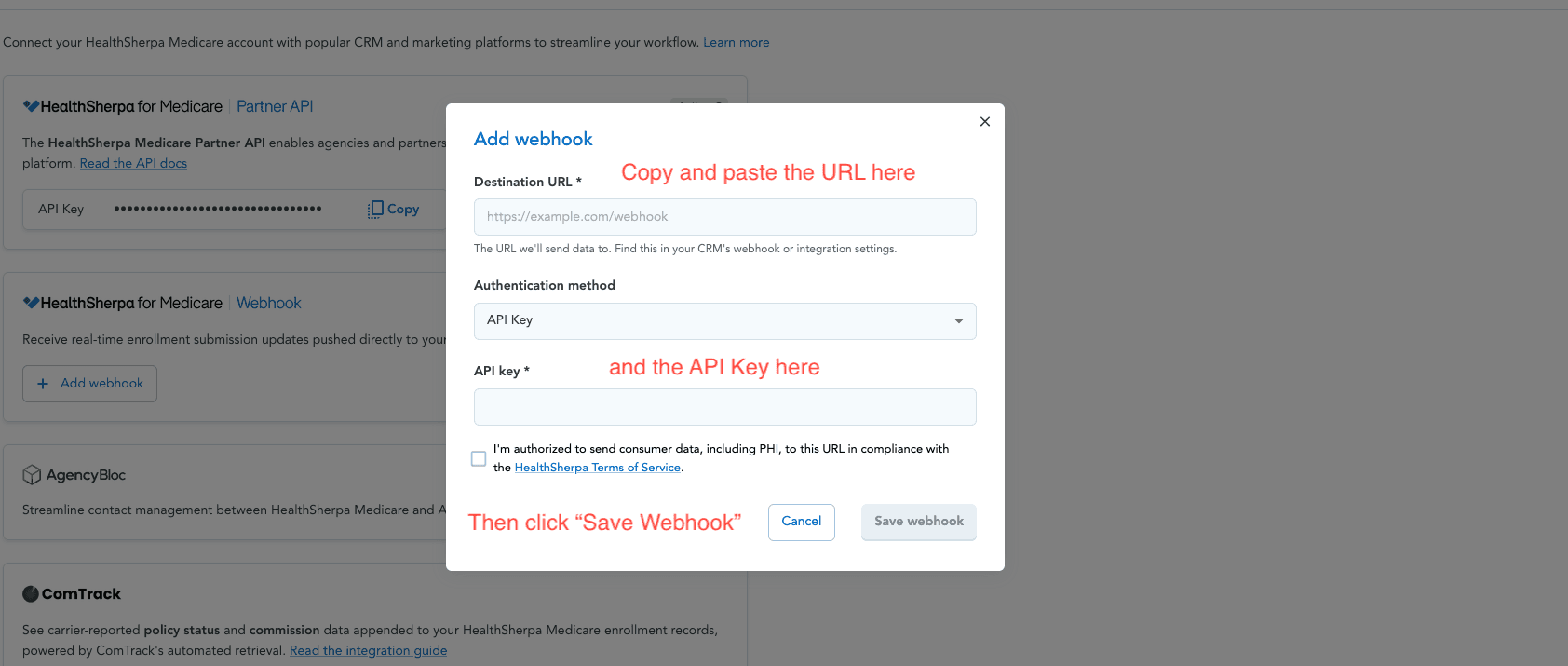
In HealthSherpa, go to the Integrations tab and choose Add webhook.
Paste the Destination URL and API key from careCycle into the modal, then save.
When an agent submits a Medicare enrollment in HealthSherpa, careCycle creates
(or matches) the customer and adds the policy with a Pending status, along with
the carrier, plan, effective date, and the writing agent's name and NPN.
Agency accounts fan in: enrollments submitted by downline agents arrive on the agency's webhook. Each one is credited to the careCycle member whose email matches the submitting agent's HealthSherpa email. If no member matches, your usual customer assignment rules and default assignee apply, so enrollments never land unassigned.
What Gets Sent When Quoting
careCycle pre-fills the quote from the customer record: name, date of birth, email, phone, address, Medicare number, Medicaid status and number, and Medicare Part A/B effective dates.
Fields HealthSherpa cannot accept are left out rather than failing the quote. A postal code that isn't a valid ZIP, an unrecognized state, or a gender with no HealthSherpa equivalent is simply omitted, and the agent fills it in on the quote page. Cleaner customer records mean less retyping.
Troubleshooting
The quote button is disabled. The agent hasn't connected their HealthSherpa account, they lack permission to edit customers, or the call isn't linked to a customer yet.
An enrollment didn't show up. Resending the same enrollment is ignored on purpose, so a repeated test won't create a second policy. Submit a new enrollment to see a new record.
The enrollment went to a different agent. careCycle credits the submitting agent when their HealthSherpa email matches a team member's careCycle email. If it doesn't match, your customer assignment rules and default assignee decide the owner instead. A customer who already belongs to an agent keeps that agent, so reassign them directly if that's not what you want.