

Calls, Customers, and Exports
Work your book from the CRM pages, replay any call, and get your data out as a CSV.
The CRM group in the sidebar (Customers, Policies, Calls, Appointments) is the shared record everything else writes to. This page covers the three you'll use most for digging into your numbers, plus how to export.
Customers
The Customers list is your book, and you can filter it pretty hard: Show Leads or Customers, Assigned to, date ranges, Last call, campaign membership, Campaign status, Campaign attempts, Source, Tags, Policy status, Policy type, Coverage, Subsidy, States, Counties, Turning 65 (within 1 year, 6 months, or 3 months), and your own Custom fields.
Rows flag Do Not Call and Do Not SMS, so you can spot suppressed people at a glance. Manage columns lets you add any field to the table, including your custom fields.
Select people (or click Select all matching this filter to grab everyone, not just the page) and you can:
- Reassign them, either Reassign to member or by your assignment rules.
- Add to campaign, Restart them in a campaign, or Set status in a campaign. See Add Customers to a Campaign.
Each customer's profile is split into sections: Overview (demographics, identity, Medicare, communication preferences), Policies, Medical (prescriptions and providers), Appointments, Inquiries & Tasks (with a badge when anything's open), Campaigns, and Notes & Docs.
Policies
The Policies list slices your book by policy instead of by person. Filter by type, status, carrier, and who it's assigned to, plus these built-in buckets:
- Pending Requirement: Pending, with an open requirement.
- Future Cancel (Pre-Active): went to Future Cancel from Pending or Pending Effectuation, so it never went into effect.
- Future Cancel (Post-Active): went to Future Cancel from Active.
- Pending Task: has an overdue task.
- Won Back: went from Future Cancel back to Active or Pending in the last 90 days.
- At Risk: anything in Future Cancel, plus Pending policies with an open requirement. This is the "at risk" number on your Dashboard.
Click a row to open a side panel with the full policy, from plan codes and election period to premiums, commissions, and every date on it.
Calls
The Calls page has two views at the top:
- All Calls: every call the platform touches. Search by name, phone, or disposition, filter by date, direction, duration, source, and disposition, and toggle connected-only or test calls. The table shows the campaign, assistant type, direction, duration, disposition, and source for each call.
- Overview: reporting, with a Call Analytics tab and a Queues & Callbacks tab (outbound queues for Agent Queue campaigns, plus inbound callback promises). You need call reporting access to see Overview, and organization-wide reporting for Queues & Callbacks.
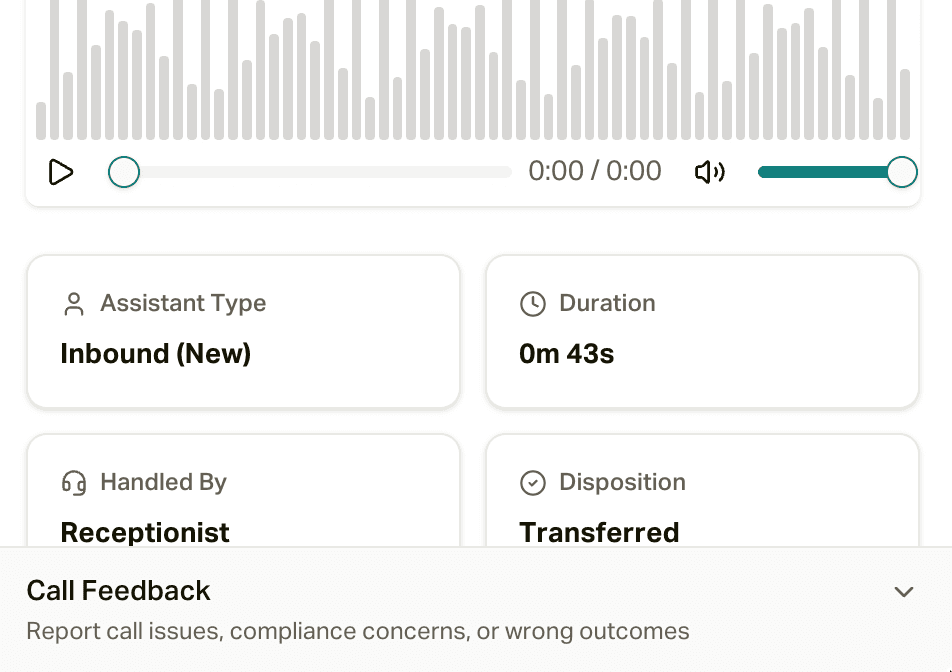
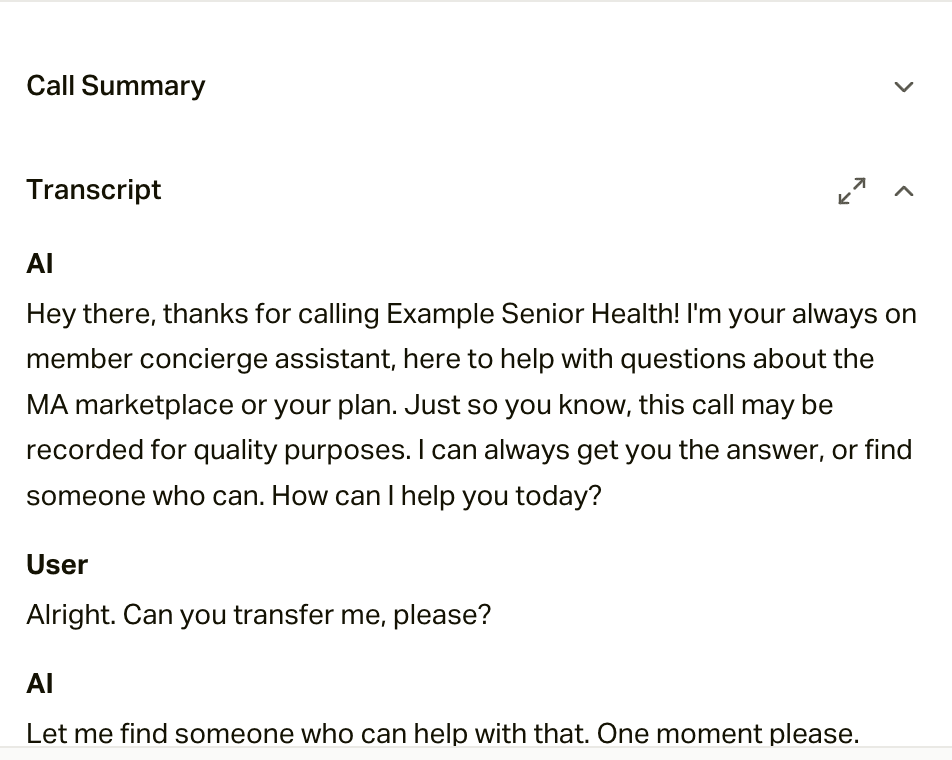
Open any call for the full record: the recording with a download button, the call summary, the transcript (you can expand it to full screen), the call evaluation, and a feedback spot for flagging problems with the call or its outcome. Quick links take you to the customer and their inbox thread.
Exports
| Page | How it works |
|---|---|
| Customers | Click Export to open Export customers. It exports everyone matching your current filters (not just the page you're on), and you choose which columns to include. |
| Policies | Click Export to open Export policies. Same idea: everything matching your filters, your choice of columns, and it lists the filters it's using. |
| Calls | Export Calls to CSV needs a date range, uses every filter you've applied (and lists them before you start), and lets you pick columns. |
| Inquiries | The Export button downloads the inquiries currently loaded on the page. |
For Customers and Policies, the columns are grouped into sections (with search, and Select all / Deselect all), and your custom fields are in there too. Click Start CSV export and it runs in the background, so you can leave the page while it works. Come back and click Download when it's done.
Exports need export permission for that page. Customer and policy exports also need access to customer contact info, since the file includes phone numbers and addresses. If you don't see the Export button, ask an admin. See Roles and Permissions.