

Escalations
Decide, scenario by scenario, whether the AI transfers, books, or logs an inquiry, during business hours and after.
Escalations (also called Assistant Behaviors) are where you decide what the AI actually does when a member's situation calls for action: hand them to your team, book an appointment, or log an inquiry for follow-up. Open a Voice AI campaign or the pinned Receptionist, then Configuration > Scenarios & escalations. Review the AI employee in Assembly. Human Agent Queue wrap-up and routing settings belong to the shared routing group instead.
Reading the Table
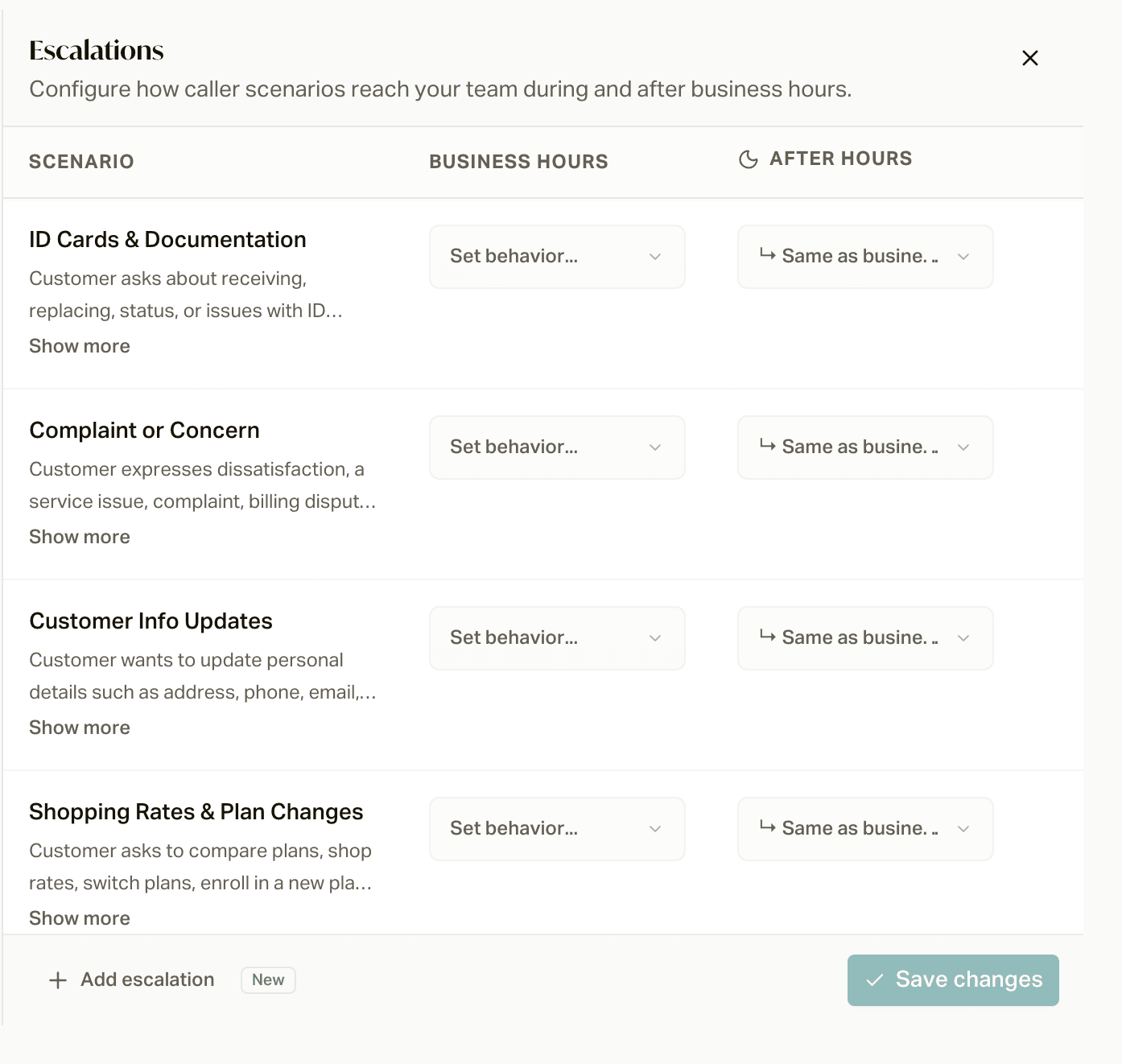
Three columns: Scenario, Business Hours, and After Hours. Each scenario row is a member situation the AI recognizes; the two behavior columns say what to do about it, by time of day.
Click a behavior cell to choose:
- Transfer Call: opens a submenu of your routing groups; pick where this scenario routes. A Manage shortcut opens the destination editor right there.
- Book Appointment: a submenu of your calendars, with the same Manage shortcut.
- Log Inquiry: no configuration needed; the AI captures the question for your team.
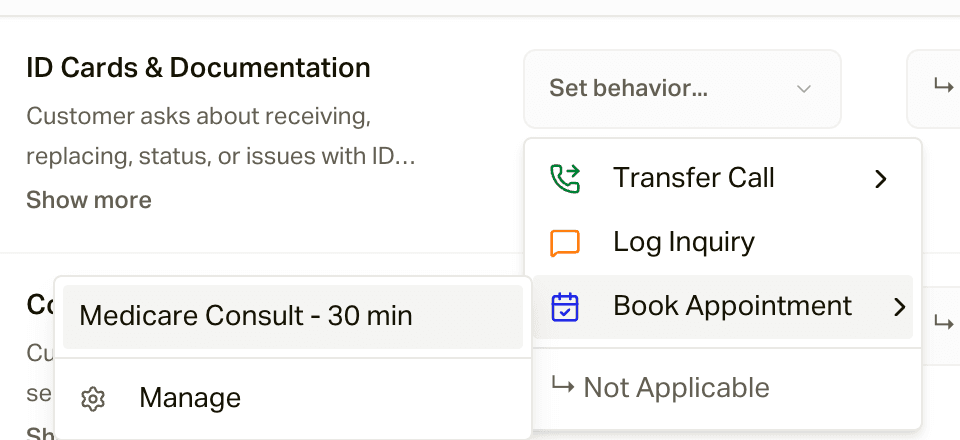
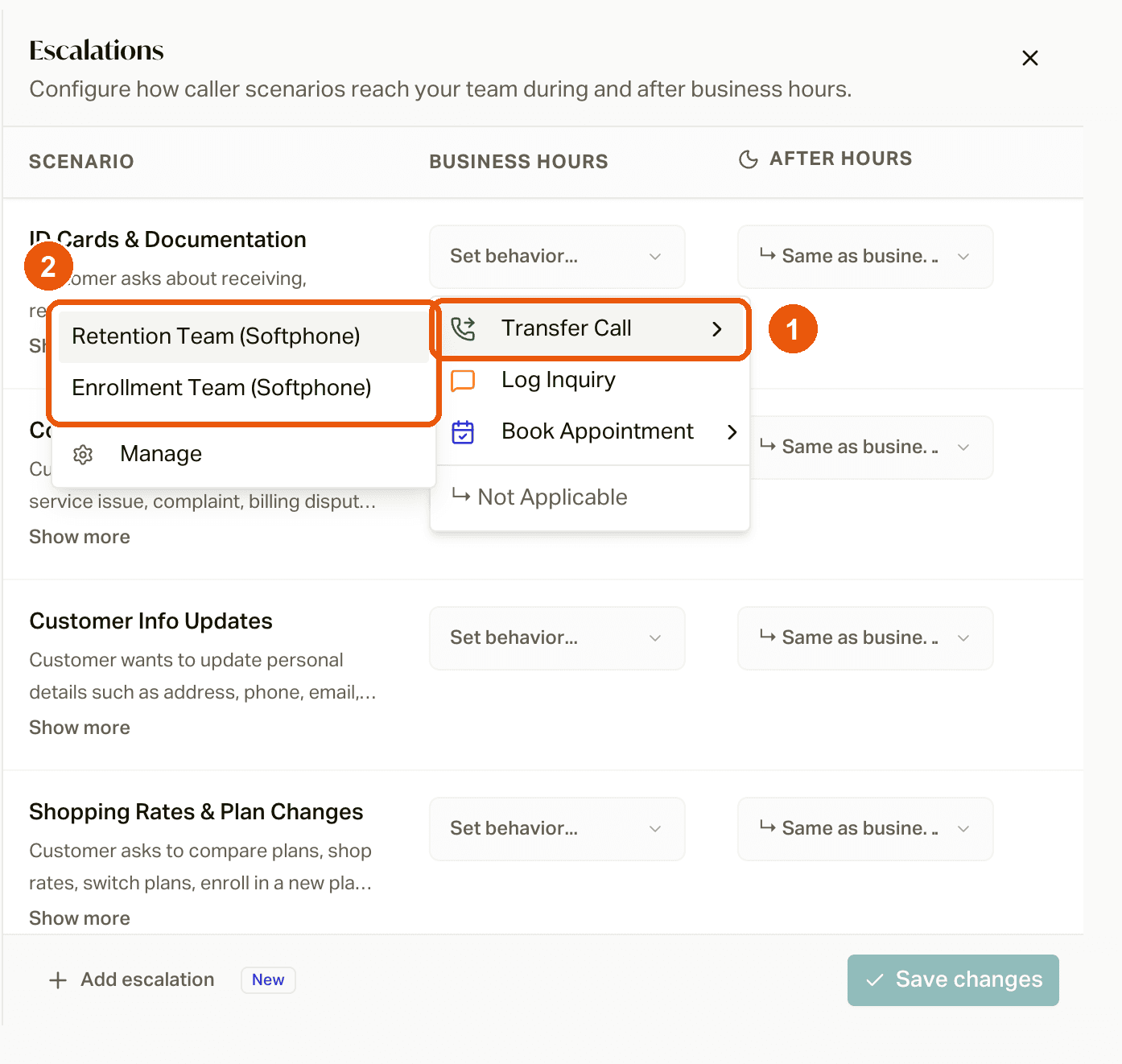
Options gray out until something exists to point at (no destinations means no Transfer Call), and some scenarios deliberately allow only certain behaviors.
Business Hours vs After Hours
The After Hours column defaults to Same as business hours, with one built-in rule: after-hours behaviors never offer Transfer Call, because there is nobody to answer. So when a scenario transfers during the day, you choose its overnight fallback explicitly, typically Log Inquiry or Book Appointment. That is how "complaints reach a human at 2 PM and become a logged inquiry at 2 AM" is configured: one row, two columns.
Your operating hours are what flip the switch between the two columns.
Scenarios
Scenarios describe situations the employee should recognize. Use Add escalation to select a shared scenario and configure its campaign action. Review recognition wording and examples separately from the selected action and target. Removing an assignment does not delete its shared scenario definition. See the scenario reference.
Changes in campaign Configuration join its header Save action. Independent editors follow their own displayed save behavior. Shared scenario definitions, routing groups, and calendars have separate ownership and can affect other campaigns. After-hours assignments and disabled replacements should be reviewed explicitly before applying. If you're editing your AI in Assembly at the same time, apply any open proposals first: saving escalations marks unapplied proposals as outdated.
Campaigns that use Transfer Call or Book Appointment can't be activated until every one of those rows points at a destination or calendar.