

Handle Inquiries
How the AI logs member questions for your team, where they show up, how they're prioritized, and how to resolve them.
An inquiry is one of the escalations your AI can use on a call (the others are transferring the call and booking an appointment). When a member asks something that needs a real person, the AI logs it as an inquiry so your team can follow up, without anyone having to be free right that second.
When you open an inquiry, you see the member's question right next to their customer and policy info, so you've got everything you need to answer it.
When Inquiries Help
Inquiries are great for:
- Questions that matter but aren't urgent
- Times your team isn't around for live transfers or appointments
- Quick questions that need a human to double-check (like whether a specific doctor is in-network)
Where Inquiries Show Up
AI-logged inquiries aren't assigned to a specific person. They land in two places your whole team can see:
- The Inbox. A new or unresolved inquiry puts that customer in the Priority lane. Once it's pending resolution or has an appointment scheduled, they move to In Progress, and when everything's handled, Done. See Your Inbox.
- The Inquiries page. Every inquiry in one list, with Export to pull them into a CSV (if your role allows it).
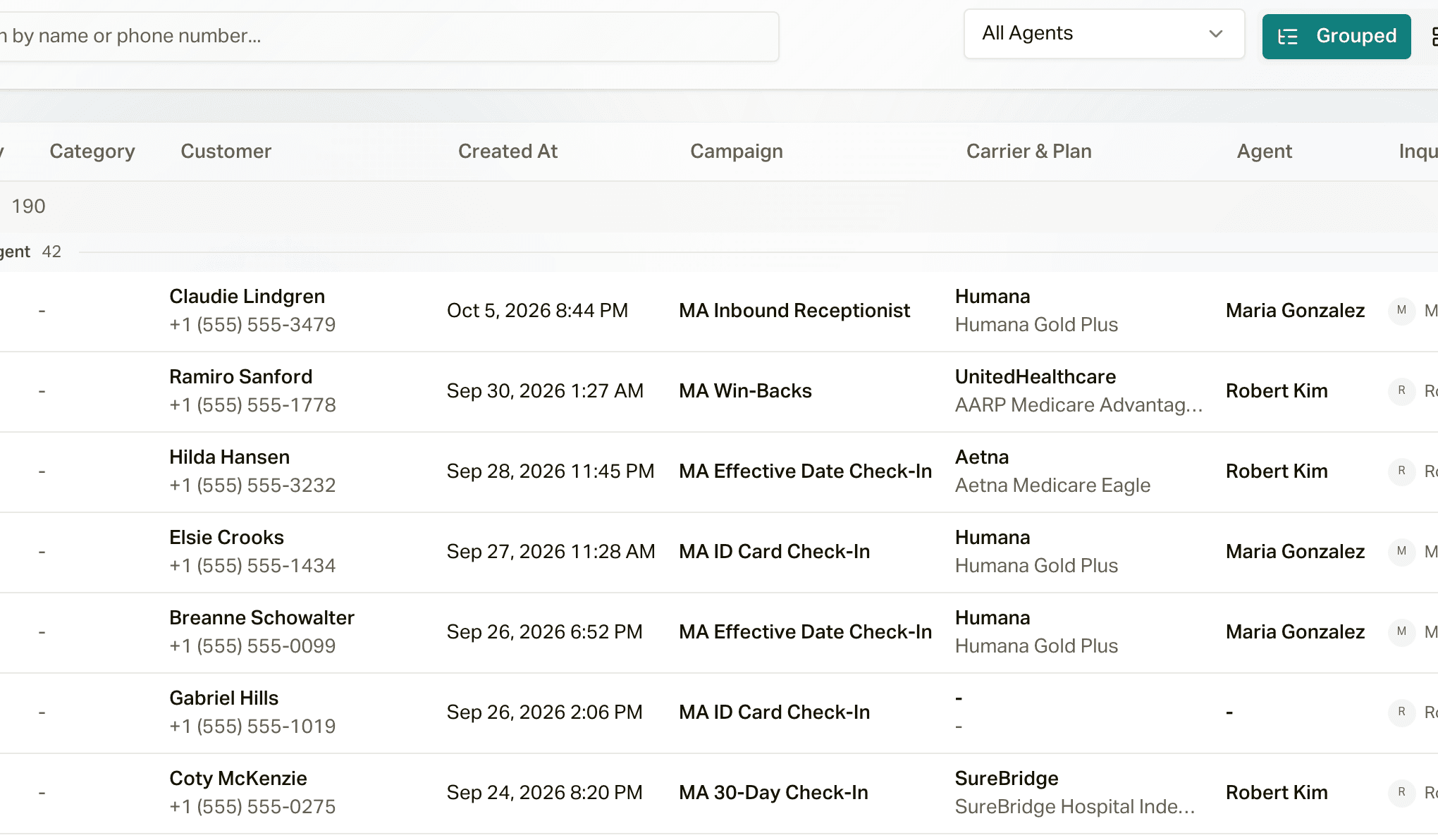
The customer's assigned agent also gets a New Inquiry Raised notification, by email or in the app depending on their notification settings. That's one more reason to set up customer assignments.
Resolving an Inquiry
Open the inquiry from the Inbox and you've got two ways to close it out:
Type your answer (or paraphrase it), and careCycle sends an AI employee to call the member back and tell them. If they don't pick up, the callback workflow handles retries and texts.
For trickier stuff where you'd rather talk to the member yourself, call them right from the Inbox, then mark it resolved and jot down what you told them. The call is recorded and transcribed, so you, your team, and your AI employees can look back on it later.
Set Inquiry Priority
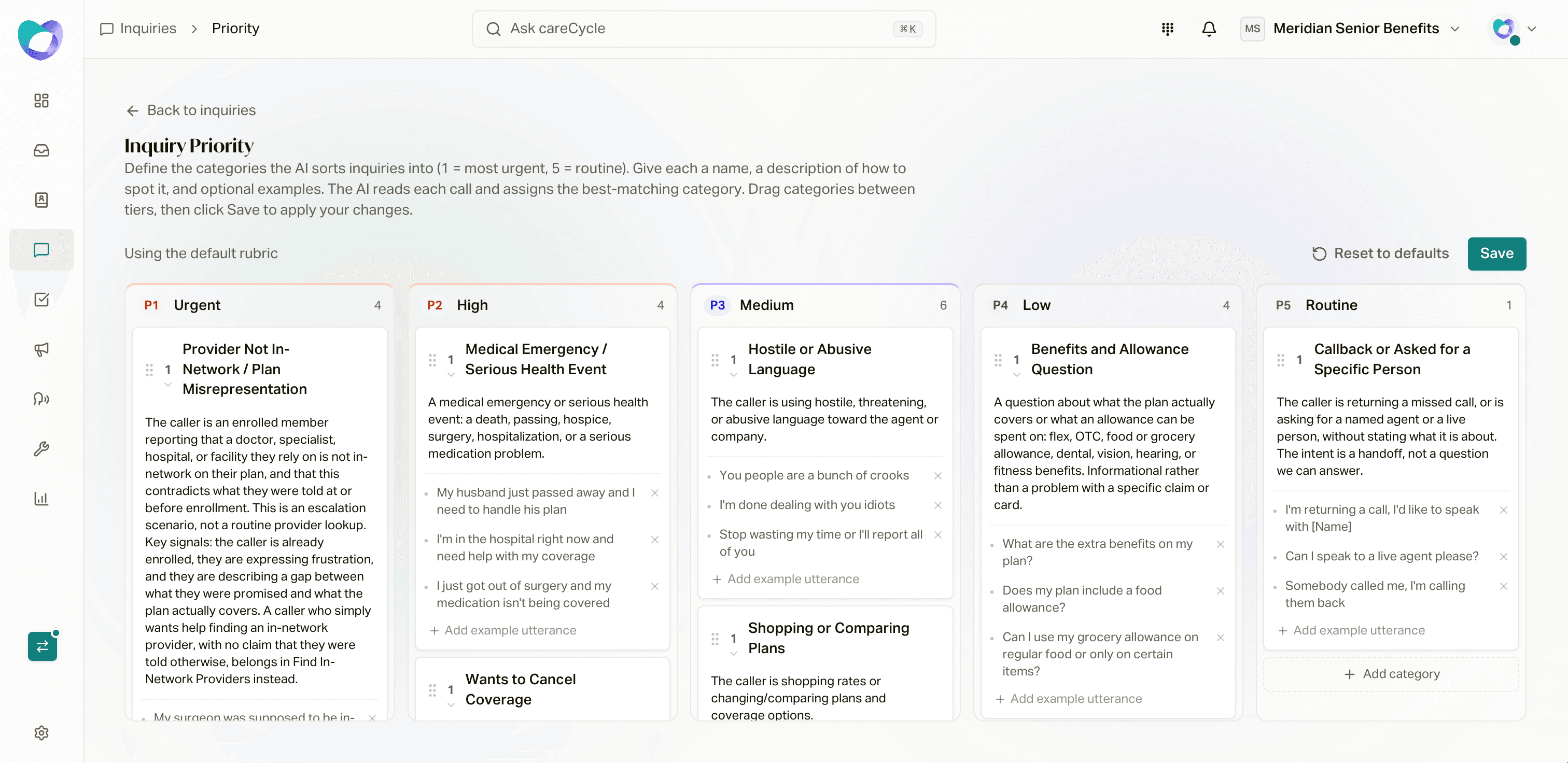
Not every inquiry is equally urgent, and you get to decide the ranking. On the Inquiries page, click Priority rules to open Inquiry Priority. It's a board with five tiers:
- Urgent
- High
- Medium
- Low
- Routine
Each tier holds categories. A category has a name, a description of when to use it (Choose this category when...), and optional example lines from a member. After every call, the AI reads the inquiry and matches it to a category, and that sets its priority.
careCycle comes with a default set. For example, a member who's upset or wants to file a complaint lands in Urgent, someone who wants to cancel or has a billing problem lands in High, and a general benefits question lands in Low.
To make it yours:
- Drag categories between tiers (or use the arrows to move one up or down inside a tier).
- Click Add category to add your own.
- Click Save. Nothing changes until you do.
The top of the page tells you whether you're Using your custom rubric or Using the default rubric. Reset to defaults clears your changes and puts you back on ours, which keeps getting better over time.
Choosing What Becomes an Inquiry
Which situations the AI logs as inquiries (instead of transferring or booking) is set in your escalations:
- For a campaign: open the campaign's Assembly tab and click Escalations. See Escalations.
- For your Receptionist: on the Receptionist page. See Configure Your Receptionist.
Log Inquiry doesn't need anything else set up, so it's a safe default for any situation you're not ready to transfer or book yet.
Business Hours and Holidays
Set your regular hours, add special schedules and holidays, and understand how they shape when careCycle calls.
Keep Your Inbox Clean with Inquiry Prioritization
Rank member questions by urgency, get each one to the right person, and close them out fast, so nothing urgent sits under a pile of routine requests.