

Managing Your Phone Numbers
The numbers your agency owns, how to procure, move, and switch them off, and how rotation keeps high-volume campaigns healthy.
Every call careCycle makes comes from a phone number your agency owns. This page covers how to manage them. If you're wondering which number a specific call comes from (and why your team's calls always use your main number), start with Which Number Your Calls Come From.
The two kinds of numbers
- Your main number. The one your Receptionist answers. All of your team's manual calls and your texts come from it, and any campaign can use it too. It shows a Main number badge and a Managed lock ("Managed automatically - contact support to change."). You can't move or switch it off from the app.
- Campaign numbers. Extra numbers attached to a specific campaign, for campaigns that don't call from your main number. You procure these yourself, or let rotation buy them for you.
Where you manage numbers
Numbers live on each campaign's Configuration > Calling numbers section (on Voice AI campaigns and Agent Queue campaigns alike). Your Receptionist doesn't have this tab, since it always uses your main number. There isn't a single page for all of your numbers; you'll see each campaign's numbers on that campaign.
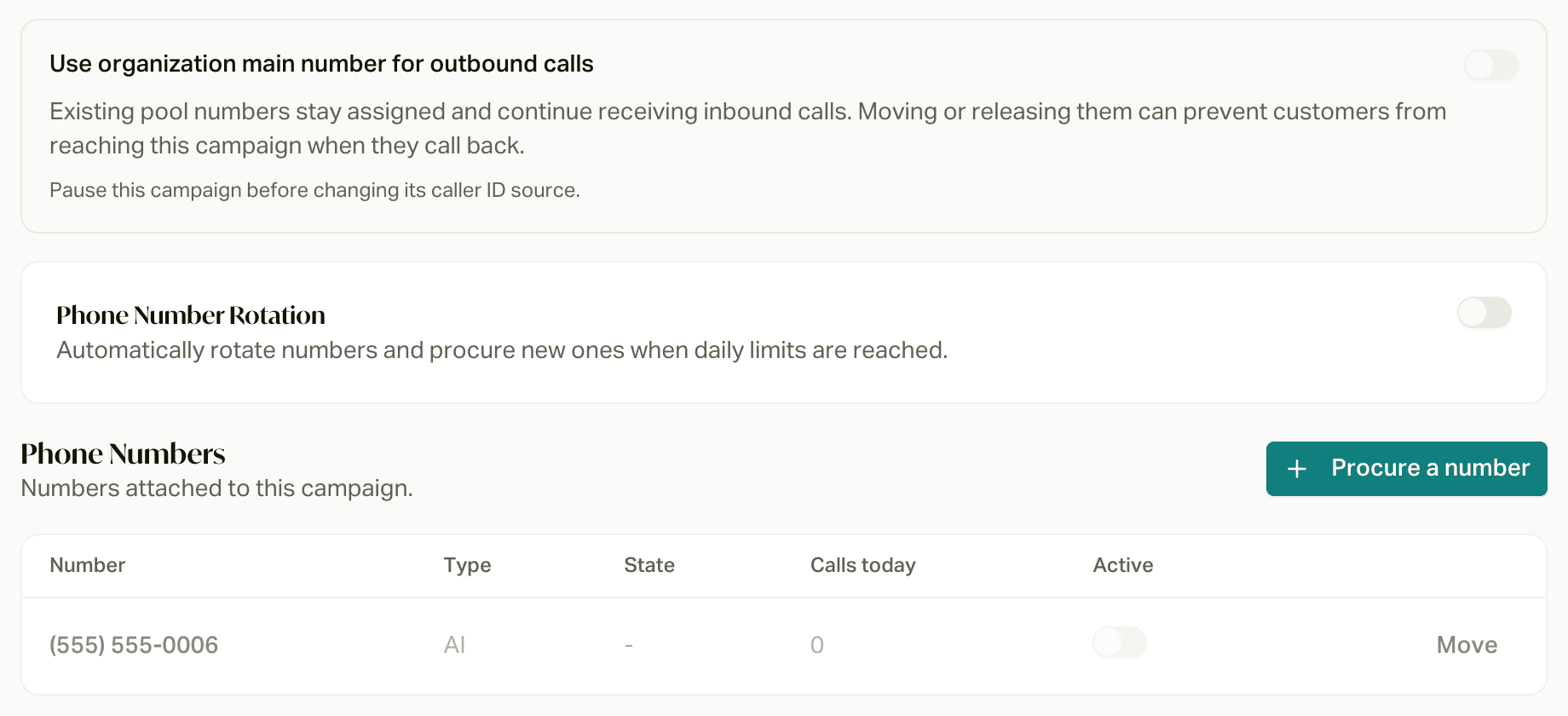
Choose the outgoing caller ID in Configuration > Calling numbers: Main number uses your agency's shared number; Number pool uses the campaign's own numbers. Save the selection with the Configuration header's Save action. Expand the number pool to manage its numbers.
The table shows each number's Number, Type (AI or Softphone), State, Calls today, and an Active switch.
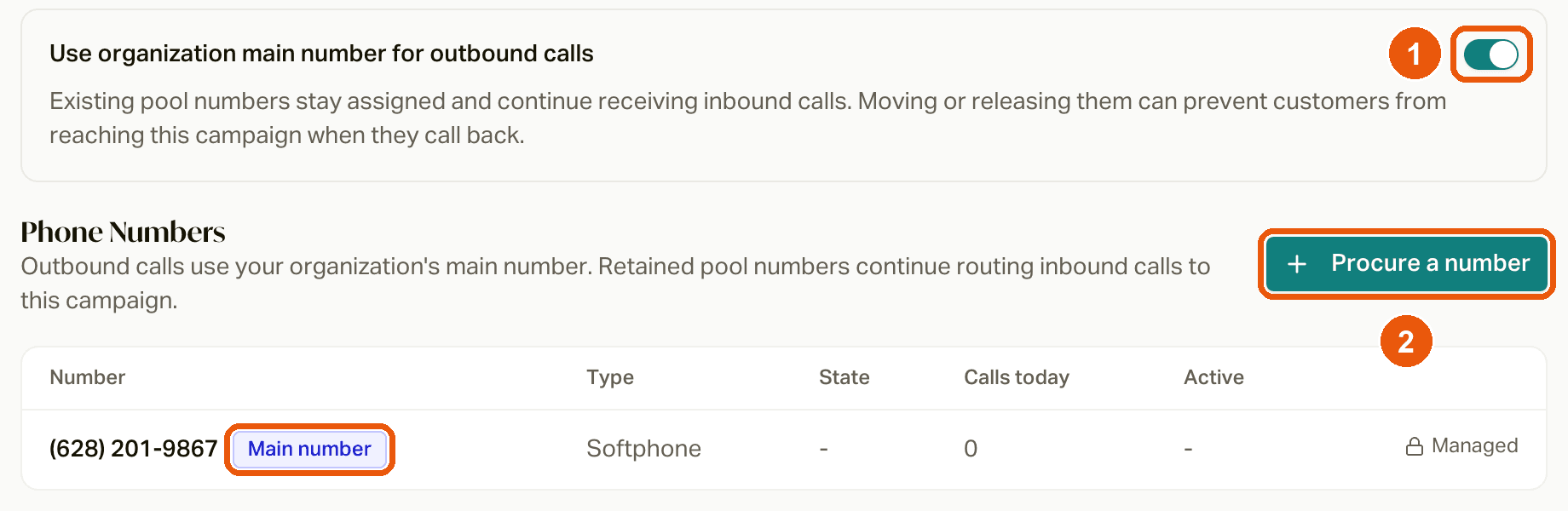
You need permission to view phone numbers to see the tab, and permission to edit campaigns to change the caller ID switch.
Procure a number
Click Procure a number
On the campaign's Configuration > Calling numbers section. (If the campaign has no numbers yet, the button says Procure your first number.)
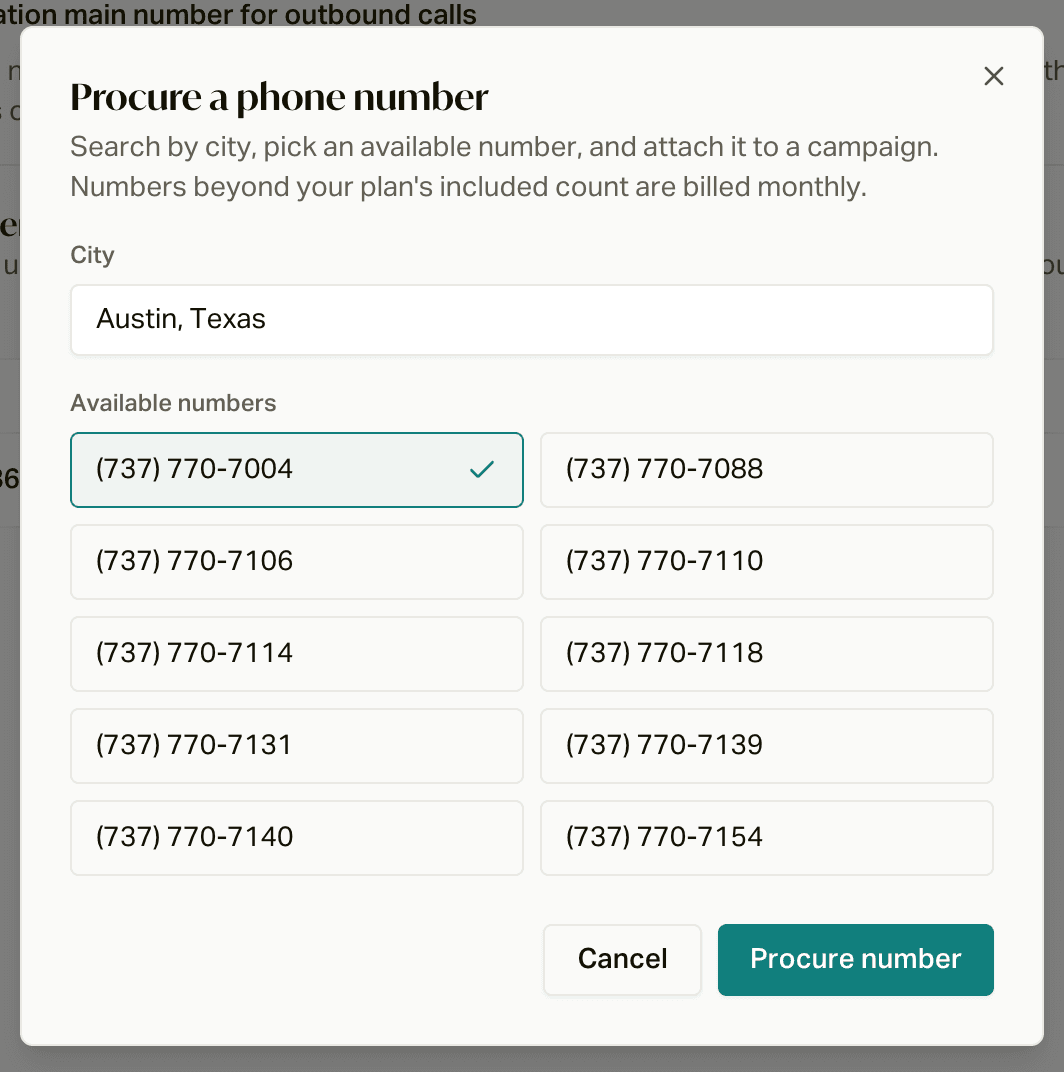
Pick a city
Start typing a city. careCycle shows up to 10 available numbers from that city's main area code. If nothing comes up, try a nearby city.
Procure it
Pick a number and click Procure number. You'll see Phone number purchased, and the number is attached to this campaign right away.
When you create an Agent Queue campaign (or any campaign that uses its own numbers), careCycle tries to buy one starter number for you automatically.
Move a number
Click Move on a number, pick a Destination campaign, and click Move number.
Moving a number also moves its inbound calls. From then on, anyone who calls it back reaches the new campaign (and enters its workflow), not the campaign that originally dialed them. Avoid moving a number that's actively dialing.
You can't move a number to your Receptionist, and you can't move your main number.
Switch a number off
Use the Active switch to take a number out of rotation. It stops making calls but stays yours. There's no button to give a number back; if you want one released, reach out to us.
Phone number rotation
For campaigns with their own numbers, Phone Number Rotation spreads calls across your numbers and buys more when you need them. It's off by default. Turn it on from the campaign's Configuration > Calling numbers section:
- Daily dial limit: how many calls each number makes per day (default 333, anywhere from 1 to 1,000). careCycle always uses the least-used number that's still under the limit. The count resets at midnight in your agency's time zone.
- Maximum pool size: the most numbers the campaign can have. Leave it blank for no limit.
- Procurement states: the states new numbers come from. Leave it empty to get numbers from anywhere.
Save rotation changes with the Configuration header's Save action.
When every number has hit its limit, careCycle automatically buys more (up to 10 at a time, and never past your maximum pool size). If you're at your maximum and every number is maxed out, the campaign stops calling for the day and picks back up tomorrow.
With rotation off, there's no daily limit per number and nothing is bought automatically. Rotation isn't available on a campaign that uses your main number.
Keeping your numbers off spam lists
careCycle registers every number it buys with the major carriers (T-Mobile, Verizon, and AT&T) and checks each number's reputation every night. The best thing you can do on your end:
- Keep high-volume campaigns off your main number. If one campaign makes a lot of calls from your main number, carriers can flag it, and then all of your agency's calls suffer. Give that campaign its own numbers. See Which Number Your Calls Come From.
- Turn on rotation for campaigns that dial a lot, so no single number gets overworked.
- Call people who expect to hear from you. Members who know you pick up, and answered calls are what keep a number's reputation healthy.
Included numbers and billing
Your plan includes a set number of campaign phone numbers: 1 on Independent, 5 on Agency, and 10 on Agency Plus. Your main Receptionist number does not count toward that allowance. Campaign numbers you've switched off still count. Beyond that, each extra number is $1 a month. You can always procure more; you're never blocked by your plan's count.
Where to go next
Which Number Your Calls Come From
Why your team's calls always come from your main number, how campaigns choose a number, and how to give a campaign its own numbers to protect your main line.
How Inbound Calls Route
What happens when someone dials one of your numbers, how a campaign number differs from your main number, and who ends up answering.