

API Keys
Create, scope, and rotate the keys that authenticate against the careCycle API.
API keys live at Settings > Developer > API Keys (developer settings permission required). Every key belongs to your organization, so it survives staff changes.
Creating a Key
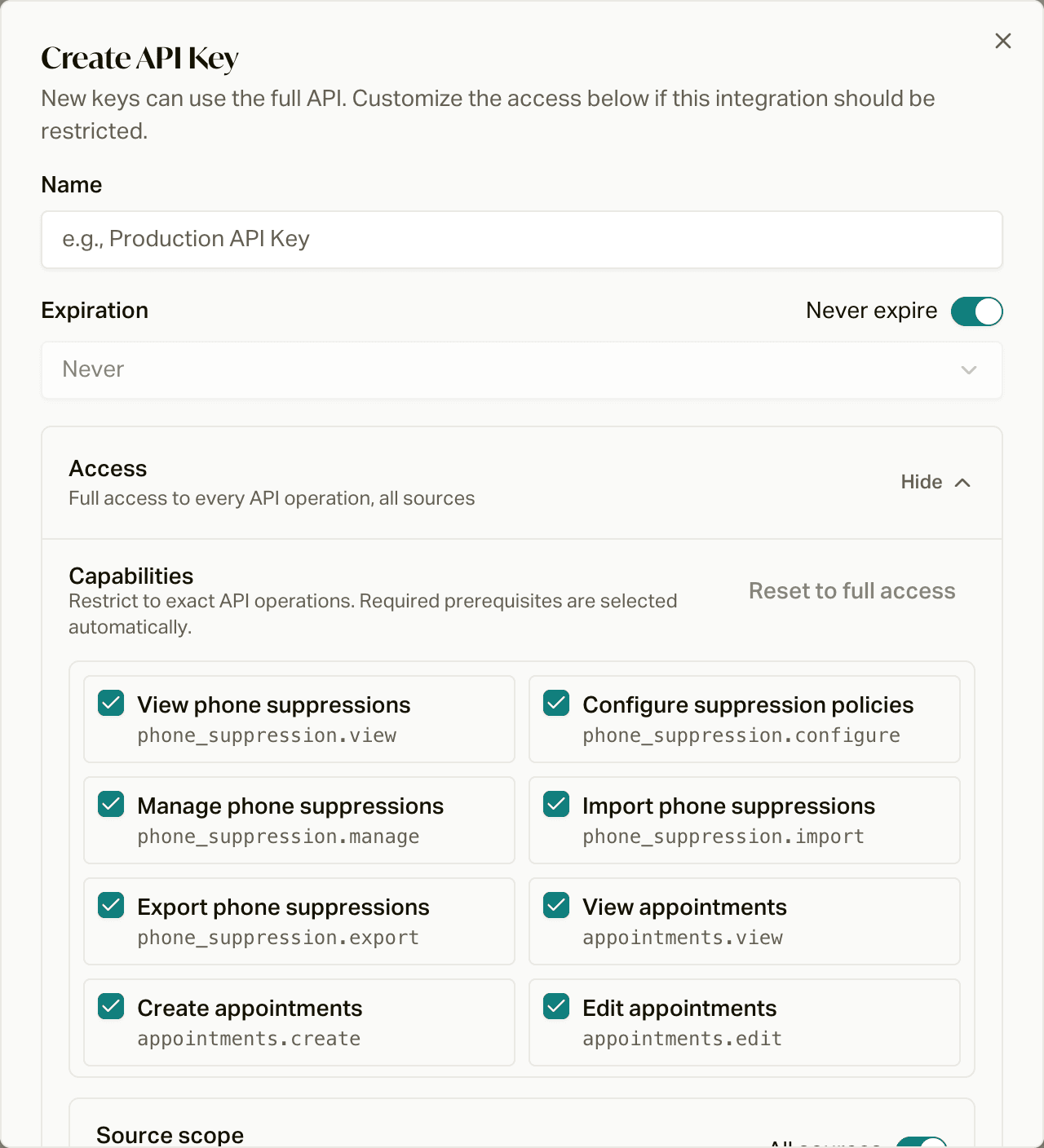
Click Create API Key and fill in:
- Name: what this key is for ("Vendor X ping-post", "BI export").
- Expiration: never, or 1 day, 7 days, 30 days, or 1 year.
- Access: new keys get full access. Click Customize to pick capabilities instead, and select only the operations the integration needs. Required prerequisite capabilities are selected automatically.
- Ping scope: selecting
ping_post.submitrequires specific sources or all sources, so a vendor key can only ping for its own traffic.
Click Create API Key, and the key is shown once. Copy it immediately; careCycle stores only a hash, and a lost key means minting a new one.
All keys use capability authorization. Keys continue to enforce the route allowlist, organization boundary, source scope, expiration, enabled state, and rate limit.
Capability Mode
Capability mode uses stable operation names such as
customers.view or appointments.create. In capability mode, a key must hold
the complete capability requirement for the endpoint it calls. Capabilities do
not bypass route, organization, source, expiration, enabled-state, or rate-limit
checks.
API-key responses include an authorization object:
{
  "mode": "capability",
  "capabilities": ["customers.view"],
  "capabilityRegistryVersion": "2026-08-authorization-v1",
  "accessRevision": 1
}
For a capability-mode key, capabilities contains its exact grants and
capabilityRegistryVersion identifies the registry used to validate them.
accessRevision changes when access-affecting settings change and protects
authorized updates from overwriting a newer configuration.
Scoping and Rotation
Give each integration its own narrowly-scoped key: a read-only key for reporting, a ping-post key per vendor. Rotation is create-new, hand over, delete-old; revoking a key by deleting it cuts access immediately without touching anything else.
For the vendor-facing view of ping-post keys (what to send vendors, error behavior, source scoping), see the ping-post guide.