# Webhooks (/docs/guides/developers/webhooks)
Webhooks push events from careCycle to your endpoints as they happen, at
**Settings > Developer > Webhooks** (developer settings permission required).
Creating an Endpoint [#creating-an-endpoint]
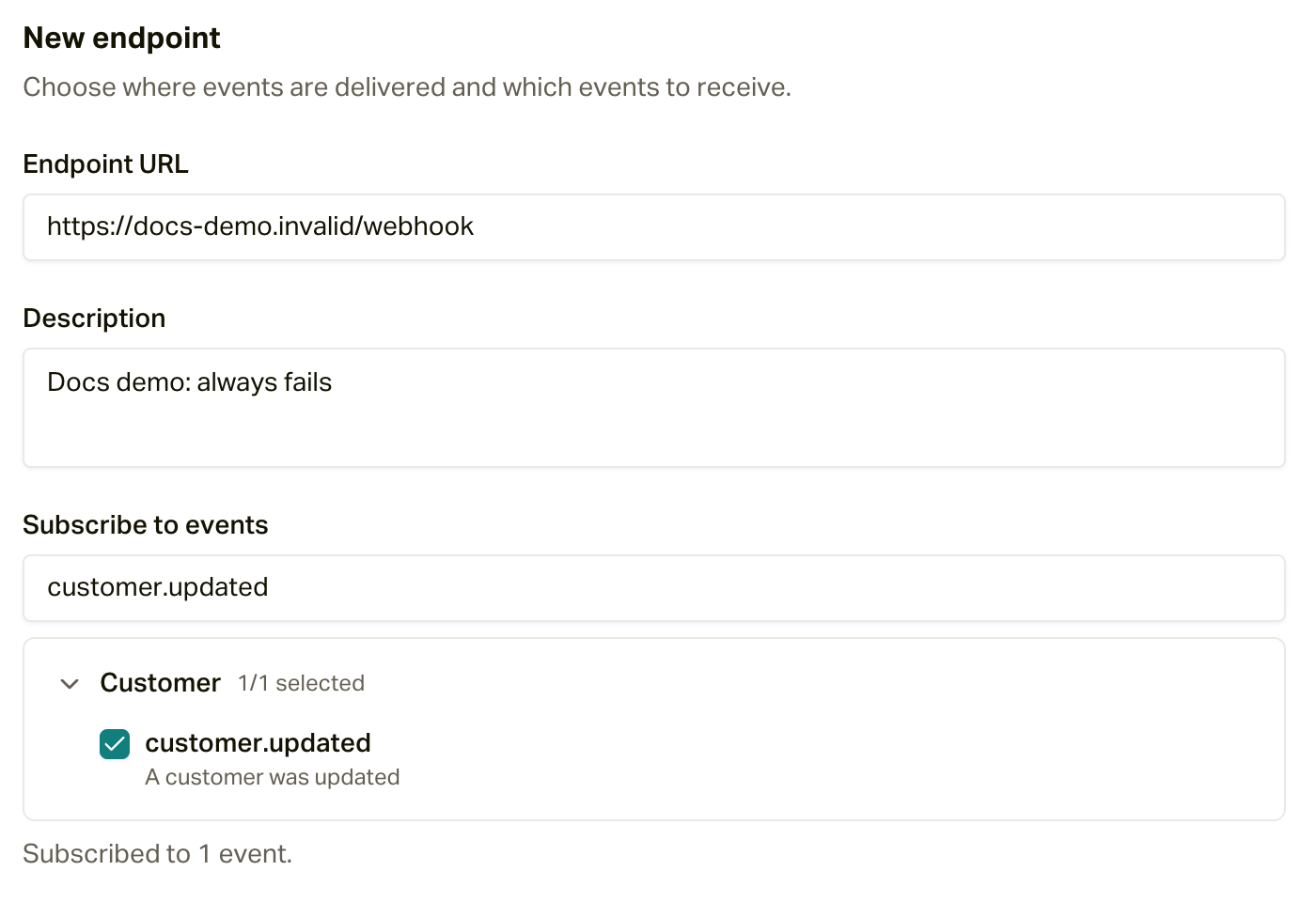
Add an endpoint with its HTTPS **Endpoint URL** and an optional description,
then choose which events it receives: the picker groups event types by
category and is searchable. Selecting nothing means the endpoint receives
**all** events, which is a sensible default while you are exploring.
 For the event catalog and payload shapes, see the [webhook events
reference](/docs/api-reference/webhooks).
Send a Test Event [#send-a-test-event]
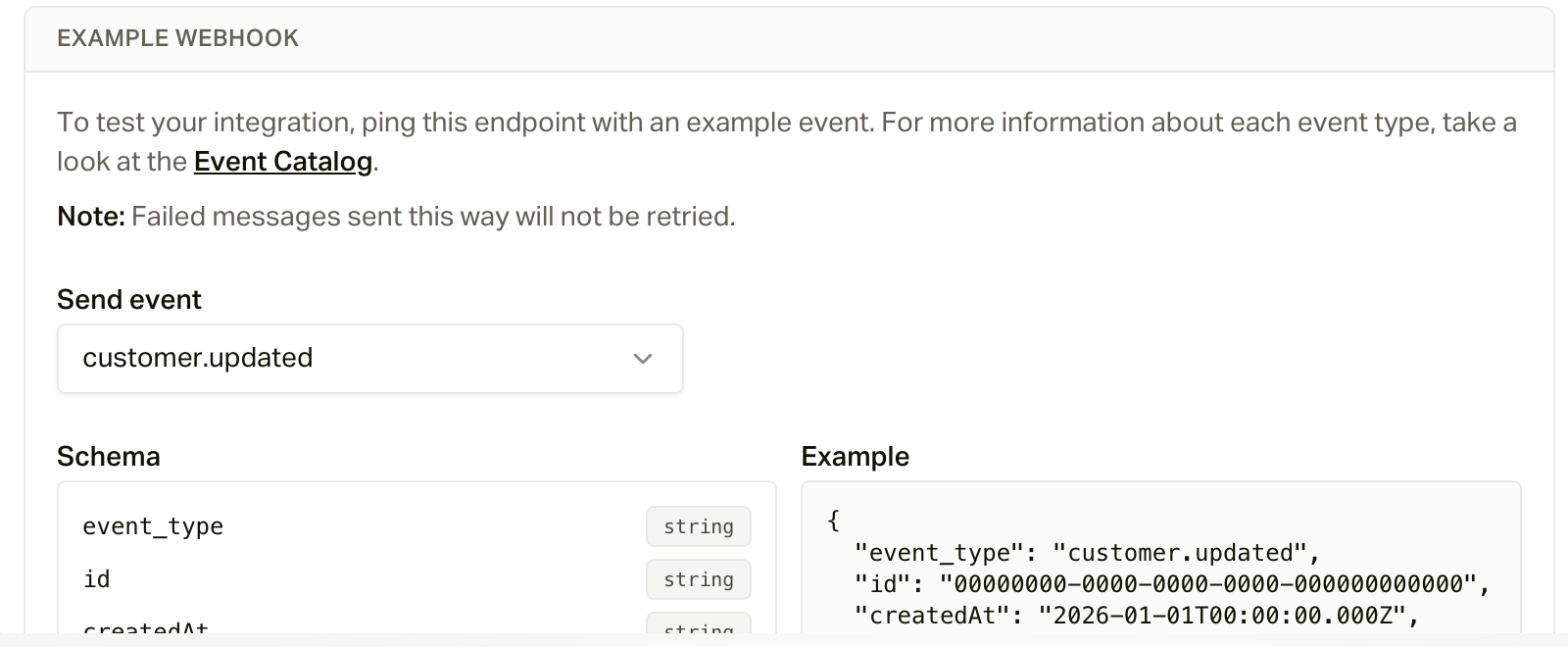
Open an endpoint and click **Testing**. Pick an event, look over its schema
and an example payload, and click **Send Example**. It sends fake data to
**every endpoint subscribed to that event**, not just this one, so make sure
your live integrations can safely receive a fake event before you send it.
Failed examples are retried automatically, the same as any other message.
For the event catalog and payload shapes, see the [webhook events
reference](/docs/api-reference/webhooks).
Send a Test Event [#send-a-test-event]
Open an endpoint and click **Testing**. Pick an event, look over its schema
and an example payload, and click **Send Example**. It sends fake data to
**every endpoint subscribed to that event**, not just this one, so make sure
your live integrations can safely receive a fake event before you send it.
Failed examples are retried automatically, the same as any other message.
 The Delivery Log [#the-delivery-log]
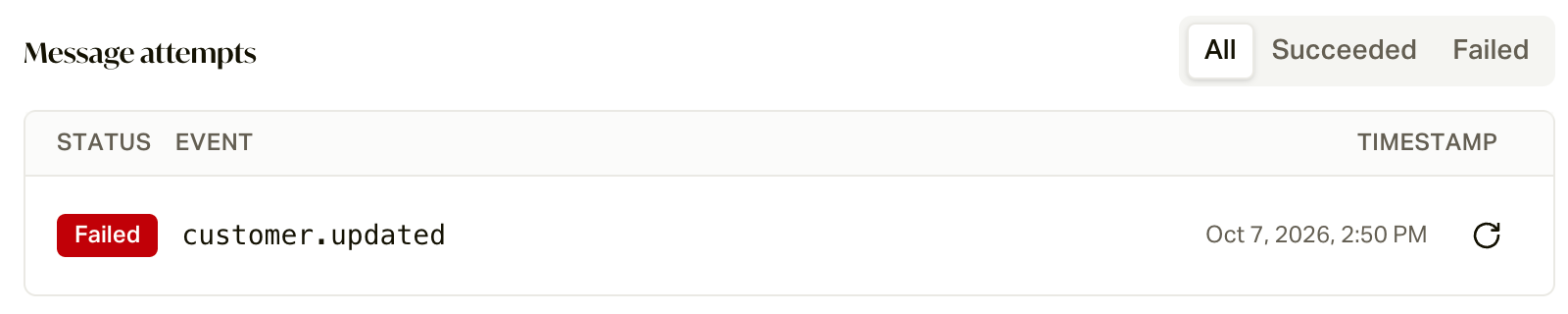
Every message to an endpoint is logged, and this is where webhook debugging
happens. Open a message to see:
* The **message content** (formatted or raw JSON, copyable).
* Every **delivery attempt**, filterable by All, Succeeded, Failed, or
Canceled, each expanding to the HTTP response code, the response body your
server returned, and the signed headers (`svix-id`, `svix-signature`,
`svix-timestamp`) for verifying authenticity.
* A **resend** button (the circular arrow) on each message and attempt, to
send it again after you have fixed your endpoint.
The Delivery Log [#the-delivery-log]
Every message to an endpoint is logged, and this is where webhook debugging
happens. Open a message to see:
* The **message content** (formatted or raw JSON, copyable).
* Every **delivery attempt**, filterable by All, Succeeded, Failed, or
Canceled, each expanding to the HTTP response code, the response body your
server returned, and the signed headers (`svix-id`, `svix-signature`,
`svix-timestamp`) for verifying authenticity.
* A **resend** button (the circular arrow) on each message and attempt, to
send it again after you have fixed your endpoint.
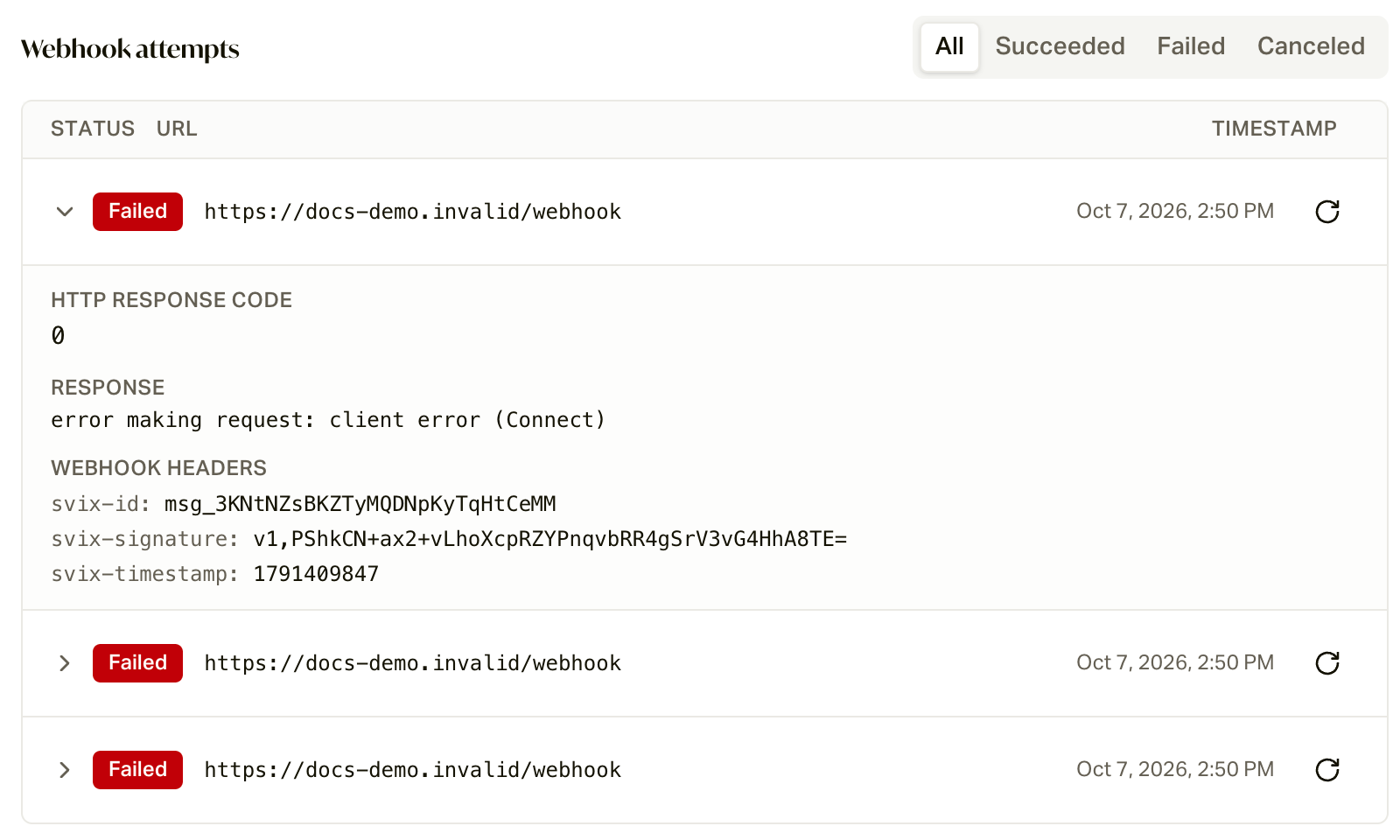 A response code of **0** means careCycle never reached your server at all
(the address didn't resolve, or the connection was refused). Any other code
is what your server answered.
Verify signatures on your side using the svix headers so you only trust
events careCycle actually sent.
Event types and payloads.
The other half of your integration credentials.
A response code of **0** means careCycle never reached your server at all
(the address didn't resolve, or the connection was refused). Any other code
is what your server answered.
Verify signatures on your side using the svix headers so you only trust
events careCycle actually sent.
Event types and payloads.
The other half of your integration credentials.