# API Keys (/docs/guides/developers/api-keys)
API keys live at **Settings > Developer > API Keys** (developer settings
permission required). Every key belongs to your organization, so it survives
staff changes.
Creating a Key [#creating-a-key]
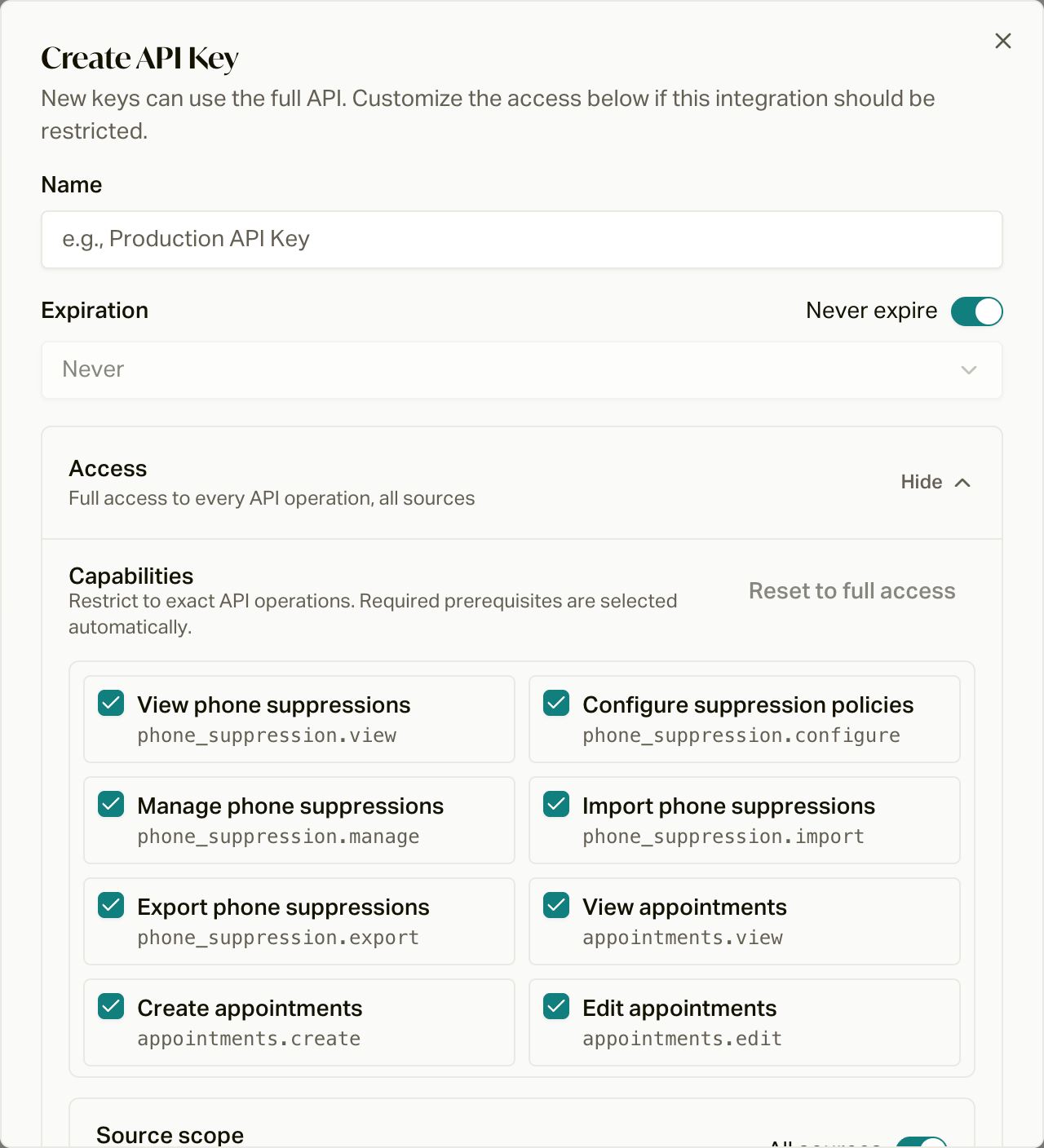
Click **Create API Key** and fill in:
* **Name**: what this key is for ("Vendor X ping-post", "BI export").
* **Expiration**: never, or 1 day, 7 days, 30 days, or 1 year.
* **Access**: new keys get full access. Click **Customize** to pick
capabilities instead, and select only the operations the integration needs. Required
prerequisite capabilities are selected automatically.
* **Ping scope**: selecting `ping_post.submit` requires
specific sources or all sources, so a vendor key can only ping for its own
traffic.
Click **Create API Key**, and the key is shown **once**. Copy it immediately; careCycle stores only a
hash, and a lost key means minting a new one.
All keys use **capability authorization**. Keys continue to enforce the route
allowlist, organization boundary, source scope, expiration, enabled state, and
rate limit.
Capability Mode [#capability-mode]
Capability mode uses stable operation names such as
`customers.view` or `appointments.create`. In capability mode, a key must hold
the complete capability requirement for the endpoint it calls. Capabilities do
not bypass route, organization, source, expiration, enabled-state, or rate-limit
checks.
API-key responses include an `authorization` object:
```json
{
"mode": "capability",
"capabilities": ["customers.view"],
"capabilityRegistryVersion": "2026-08-authorization-v1",
"accessRevision": 1
}
```
For a capability-mode key, `capabilities` contains its exact grants and
`capabilityRegistryVersion` identifies the registry used to validate them.
`accessRevision` changes when access-affecting settings change and protects
authorized updates from overwriting a newer configuration.
 Scoping and Rotation [#scoping-and-rotation]
Give each integration its own narrowly-scoped key: a read-only key for
reporting, a ping-post key per vendor. Rotation is create-new, hand over,
delete-old; revoking a key by deleting it cuts access immediately without
touching anything else.
For the vendor-facing view of ping-post keys (what to send vendors, error
behavior, source scoping), see the [ping-post
guide](/docs/guides/sources/ping-post).
Authenticate with your key and start calling endpoints.
Vendor keys and source scoping in practice.
Scoping and Rotation [#scoping-and-rotation]
Give each integration its own narrowly-scoped key: a read-only key for
reporting, a ping-post key per vendor. Rotation is create-new, hand over,
delete-old; revoking a key by deleting it cuts access immediately without
touching anything else.
For the vendor-facing view of ping-post keys (what to send vendors, error
behavior, source scoping), see the [ping-post
guide](/docs/guides/sources/ping-post).
Authenticate with your key and start calling endpoints.
Vendor keys and source scoping in practice.