# What is careCycle? (/docs/guides/concepts/what-is-carecycle)
careCycle is the AI-native system of record for agencies looking to take
control of their retention, LTV, and how much their team can get done.
With careCycle, you can take advantage of voice AI employees developed through
millions of real calls with Medicare and ACA beneficiaries to create a
fully automated post-enrollment journey. Educate members about their plan,
help them actually use their benefits, and stop the shop by becoming an agency that gives
members a reason to stay with you.
You can also use the member experience you provide to increase retention and
LTV with ancillary cross-sell campaigns.
careCycle is built for the AI era, bringing human and digital team members into
one cohesive workspace to write and manage policies. careCycle is [SOC 2 Type 2
certified and HIPAA compliant](/docs/guides/stay-compliant/soc2-and-hipaa) out
of the box.
Why Agencies Use careCycle [#why-agencies-use-carecycle]
careCycle helps Medicare and ACA distributors win back time while increasing
retention and member satisfaction.
With careCycle, you can become an AI-enabled agency without selling a majority
stake in your business, without buying leads from unknown publishers, and
without paying for seats on another platform.
It is world-class software built for health insurance distribution and designed
to be hierarchy agnostic.
The Platform [#the-platform]
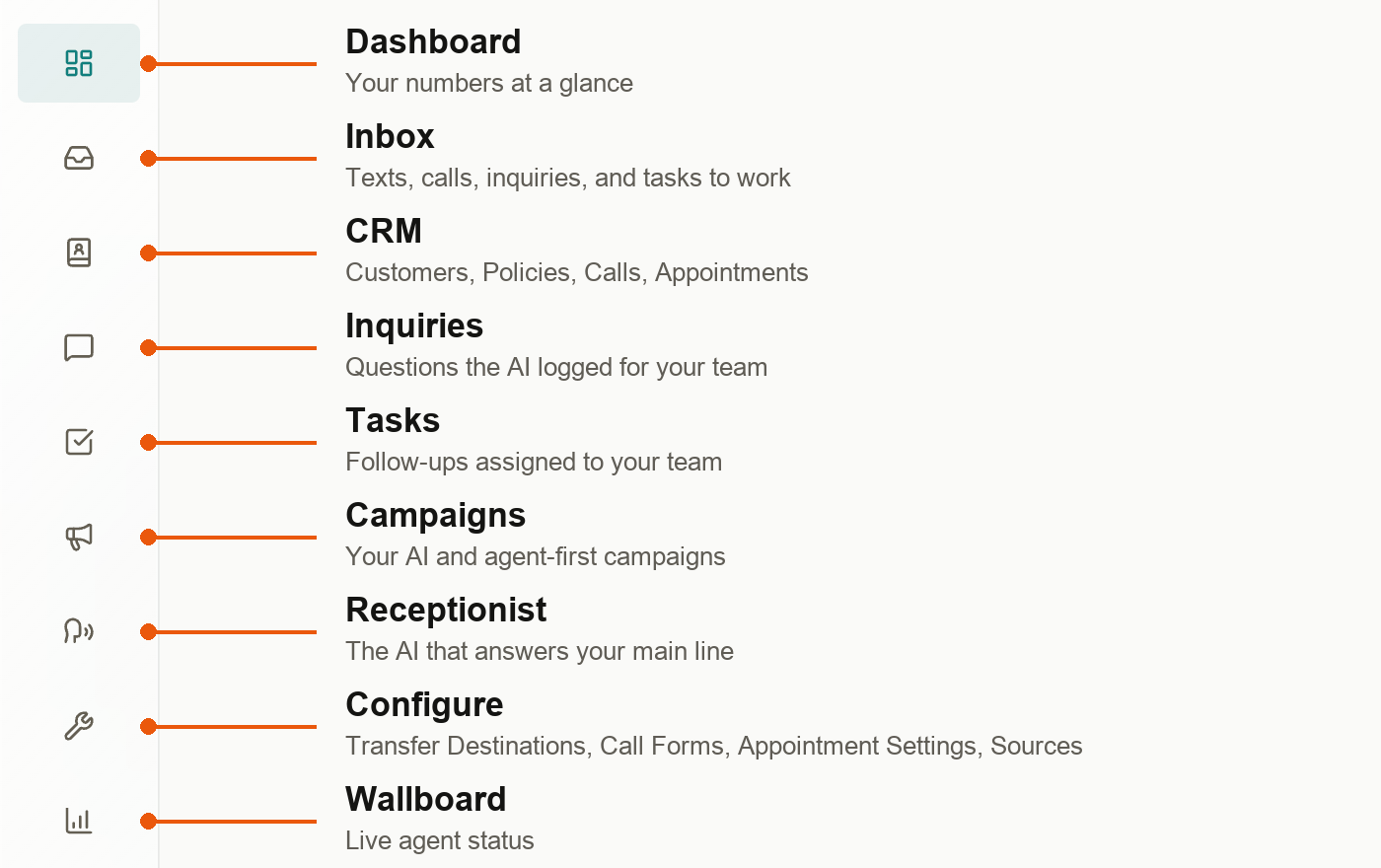
Everything in careCycle falls into three parts: the work your AI handles, the
work your team handles, and the shared customer record that keeps them both on
the same page.
**Your AI workforce**
* **Receptionist**: Cora answers around the clock on your central number.
Campaigns can call from it too, so beneficiaries learn to recognize it and
pick up. She resolves common member questions and escalates
to your team when needed.
* **Campaigns**: outbound and inbound calling and texting programs. Each one
has its own Pulse (the cadence of calls and texts), automations that add
the right people, and escalations (what the AI does on a call: transfer,
book an appointment, or log an inquiry). Campaigns are tagged by the job
they do: **Retention**, **Revenue**, or **Receptionist**.
* **Template Library**: more than 40 ready-made Medicare and ACA campaigns,
from welcome calls and check-ins to save calls and texts. Pick one, tweak
it, and turn it on. See the [Template
Library](/docs/guides/template-library).
* **Assembly**: the tab on every campaign where you change what the AI says.
You just tell careCycle what you want, test it, and approve it. See [Edit
Your AI with Assembly](/docs/guides/campaign-toolkit/employees).
**Your team's workspace**
* **Inbox**: every SMS conversation and follow-up in one queue.
* **Softphone and Dialer**: your agents take transfers and make calls right in
the browser, with scripts guiding each conversation.
* **Tasks and Appointments**: follow-up work and booked meetings, assigned to
the right person automatically.
* **Dashboard**: owners and admins (by default) get a customizable home dashboard of the
numbers they care about, plus **Ask careCycle** to ask about your numbers in
plain English. Everyone else gets their own agent dashboard with their
queue, appointments, and monthly numbers.
* **Wallboard**: live floor status for managers.
**The shared record**
* **Customers, Policies, Calls, and Inquiries**: every member, every policy,
every conversation, and every open question, with recordings and transcripts
attached.
 Explore the Platform [#explore-the-platform]
How all of these pieces combine across the life of a member.
Follow the recommended setup path for a new careCycle organization.
Configure your always-on receptionist and escalation behavior.
Upload customer and policy data for Cora and campaigns.
Ready-made campaigns for welcome calls, check-ins, AEP, saves, and more.
The templates that take a new member through their first year and beyond.
What a campaign is made of and how it runs.
Register for SMS and RCS so members can text with your team.
Explore the Platform [#explore-the-platform]
How all of these pieces combine across the life of a member.
Follow the recommended setup path for a new careCycle organization.
Configure your always-on receptionist and escalation behavior.
Upload customer and policy data for Cora and campaigns.
Ready-made campaigns for welcome calls, check-ins, AEP, saves, and more.
The templates that take a new member through their first year and beyond.
What a campaign is made of and how it runs.
Register for SMS and RCS so members can text with your team.